
Finnish TV Channels on IPTV: What to Confirm
Check exact channels, programme feeds and Finnish or Swedish language options instead of relying on an overall catalogue count.
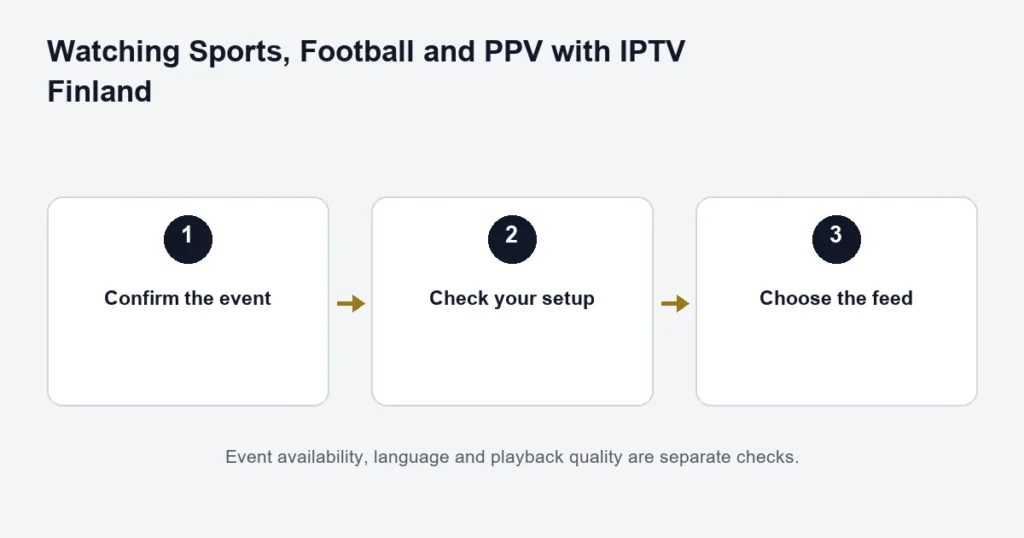
An overall IPTV catalogue count does not identify the Finnish channels inside it. This page does not publish an unverified channel list. Use it to make a precise availability request for the programmes and languages you need.
Write a useful channel request
- The channel or programme’s full name.
- The date and event, when checking a live broadcast.
- Finnish or Swedish audio, including preferred commentary.
- Whether subtitles are required, and in which language.
- Whether you need live viewing or a later replay.
Keep those checks separate. A channel may be available while a specific programme, language track or replay is not. A similarly named international feed may carry a different schedule.
What the plan figures actually say
Standard lists 15,000+ live channels and Premium lists 55k+. Those are the owner-confirmed overall catalogue figures, not Finnish-only counts. They cannot verify a named broadcaster, a relationship with that broadcaster or content rights.
Check the experience on your device
When a suitable test is available, open the exact feed in the player you intend to use. Inspect the programme title, audio menu and subtitle controls. Check the guide’s time zone as well; a correct channel with an incorrect schedule can look like the wrong feed.
For event-specific details, read the football checks. For schedules, use the EPG guide. Return to the IPTV Finland overview once you know which plan questions remain.
Identify the Finnish feed you mean
Start with the exact channel name and the programme you want. If the name is abbreviated in the player, record both the displayed label and the programme. Similar labels can refer to different regional, language or quality versions.
For a particular broadcast, add the date and expected time. A request for “Finnish television” is much broader than a request for one named programme with Finnish audio. The more precise description makes availability easier to establish without guessing from catalogue totals.
Separate channel language from programme tracks
A Finnish channel name does not automatically establish every programme’s available audio or subtitles. Ask specifically about Finnish audio, Swedish audio or the subtitle language you need. A player menu translated into Finnish is another separate setting.
When the programme starts, inspect the available track menu. If the expected option is missing, record the exact source and programme rather than changing the entire device language. The player guide helps identify where app support and source availability meet.
Use the schedule as a check, not a guarantee
The guide can help identify an upcoming programme, but a listing is not proof of a particular feed or replay. Compare the date, time and title with the broadcast you mean. If the schedule is wrong on one source, avoid changing every channel’s time offset to match it.
The EPG troubleshooting guide explains how to distinguish an empty guide, a shifted clock and one incorrect entry. Keep the original channel label in your notes so the issue is reproducible.
Test the channel on the intended device
- Select the confirmed source in the compatible player.
- Check the programme currently playing.
- Inspect audio and subtitle options where available.
- Open the guide and compare its current entry.
- Return to playback using the normal controls.
- Record any mismatch by source and time.
Use the television or device you expect to watch on regularly. A channel playing on a phone is useful evidence about that phone’s setup, but it does not establish the native television app’s controls or subtitle behaviour.
Live television and on-demand Finnish titles
A Finnish film or series in an on-demand library is not the same as a scheduled channel broadcast. The edition, episode and track options can differ. Use the movies and series checklist when the goal is a specific title rather than a live channel.
If you missed a broadcast, confirm catch-up for that source and programme. A title remaining in yesterday’s guide does not prove that replay is available. The catch-up guide covers that separate question.
Ask about sports by event as well as channel
A channel associated with sport is not an event-by-event coverage promise. Name the competition, participants, date and commentary language. This is especially useful when several feeds or sessions could match a broad event description.
The sports hub explains the preparation routine. The football guide narrows the enquiry to a particular fixture. Neither page substitutes an unverified rights list for an availability check.
Keep the tier comparison in perspective
Standard and Premium list different overall catalogue sizes. Those figures are not counts of Finnish channels and should not be described that way. Choose around the actual sources and language options you need, then compare the tier, term and screens.
If a larger catalogue is the main reason for considering Premium, ask about your shortlist first. A higher total can still leave a specific programme or subtitle question unanswered. Read the Premium comparison for the complete benefit distinction.
Finnish-channel questions
Does this page certify a complete Finnish channel list?
No. It explains how to identify and check the channels you need. No unverified list of broadcasters or rights is presented as guaranteed availability.
Can two similar channel labels have different programmes?
They may identify different sources or editions. Record the full label and what is actually playing instead of assuming the shortest name uniquely identifies the feed.
Does a Finnish interface mean Finnish subtitles?
No. The device or app language and programme tracks are separate. Inspect the specific source’s options during playback.
What if a channel worked during a trial?
That is evidence of the available source during that test. It does not promise every future programme or permanent catalogue availability. Confirm any decisive upcoming broadcast separately.
What is the next step after identifying the channel?
Check the device and player, then review the selected plan total. Keep the channel, language and setup requirements together so the purchase decision is based on your actual viewing rather than a general catalogue number.
Use a small language checklist
For each important source, record the channel label, one example programme and the language requirement. Keep audio and subtitles in separate columns in a private note. This helps distinguish a household that needs Finnish dialogue from one that wants Swedish subtitles or a particular regional broadcast. Test those requirements on actual programmes rather than judging a channel from its logo. If two entries have similar labels, record which one was tested. A short list of a few meaningful examples is enough; copying an entire catalogue creates more work without making the specific availability question clearer or easier to reproduce.