
Premium IPTV Finland: Catalogue, 4K and Plan Choices
Compare the Premium benefits with your viewing needs, and check the whole playback setup before expecting 4K.
Premium IPTV Finland includes the confirmed 55k+ live-channel and 240k+ movie-and-series catalogue, with 4K UHD where available. Standard offers 15,000+ live channels and 145,000+ movies and series, with Full HD / 1080p. Choose the tier for the content and features you need, then select duration and simultaneous connections separately.
For source, display and HDMI checks, read what native 4K playback requires.
What Premium includes
The listed Premium benefits include Hot Player / IBO Lifetime Activation, premium sports and PPV availability, and EPG and catch-up where available. Ask support about a particular channel, event, app or feature before purchasing. A large catalogue count does not establish that every title has your preferred language, resolution or catch-up option.
When will a picture actually be 4K?
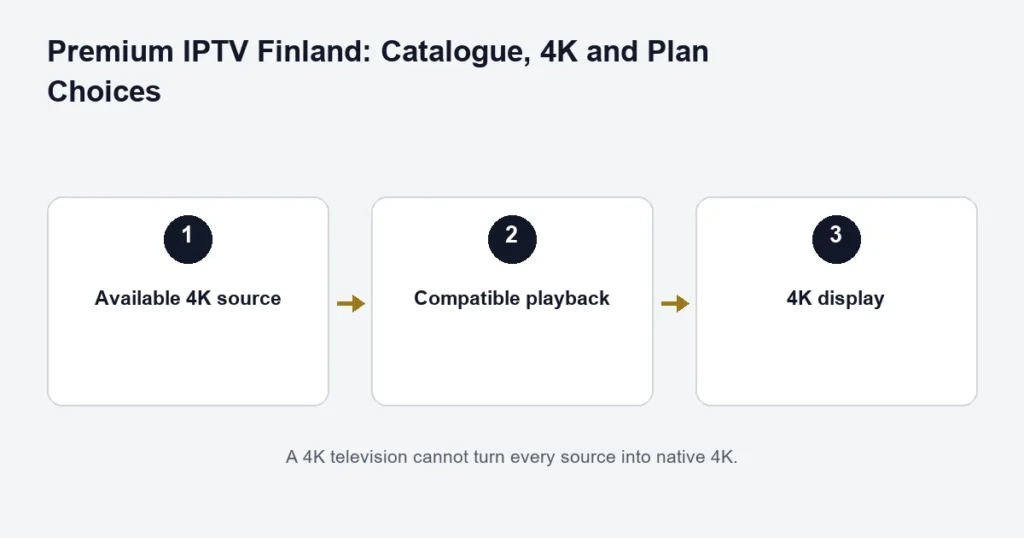
The selected source needs to be available in 4K, and the player, playback device and display must support it. When you use an external streaming box, the HDMI connection and any receiver in between also matter. Apple’s 4K and HDR guidance illustrates why compatible inputs and cables are part of the chain.
4K describes resolution. HDR, audio formats and the quality of the original recording are separate considerations. Do not choose a plan solely because your TV has a 4K label: confirm the content you want and test the intended device during setup.
Choose a term you can assess
For one connection, Premium totals are €19.99 for one month, €39.99 for three months, €49.99 for six months and €79.99 for twelve months. Additional connections have their own totals in the full price selector. The monthly equivalent is a comparison calculation, not a claim of monthly instalments.
How to compare a plan without relying on “best” claims
- Check the specific channels, programmes and audio languages you use.
- Confirm player compatibility on your actual device.
- Choose enough simultaneous connections for overlapping viewing.
- Read setup, support and refund information before committing to a longer term.
A plan is a good fit when those checks match your needs. We do not present an unmeasured ranking or promise that every stream will be 4K.
Compare multi-device choices or ask support about a specific Premium feature.
Start with the benefit you will actually use
Premium is a tier choice, not a description of every programme’s resolution. Decide whether you are considering it for the broader advertised catalogue, an available 4K source, sports and PPV availability or the stated player activation benefit. That makes the comparison specific enough to check.
For a Finnish-speaking household, a larger headline catalogue is less useful than confirmation of the channels, titles and language tracks you want. Write down a short list and ask about those items. Catalogue totals should not be read as the number of Finnish channels or as a guarantee of a particular programme.
Compare catalogue, picture and player separately
Catalogue
Review the current tier descriptions and the programmes relevant to you. A title may have multiple editions or language versions. The on-demand checklist helps you identify a film by year and a series by season and episode.
Picture
Available 4K requires the relevant source and a compatible playback chain. If the television or selected stream is Full HD, purchasing Premium does not turn it into native 4K. The dedicated 4K guide covers this technical question without duplicating the whole tier comparison.
Player benefit
Confirm which Hot Player or IBO edition and device the listed activation benefit applies to. An app activation and the streaming subscription have different purposes. Avoid buying an unrelated licence on the assumption that the name alone makes it eligible.
Choose the term after choosing the tier
A longer term changes the commitment and the displayed monthly equivalent. It does not prove that you will use the extra catalogue or that a specific source will remain unchanged. If the setup is new, establish device suitability before treating the lowest monthly comparison as the only decision.
Use the purchase checklist to compare tier, months and screens in order. Review the main term total for the exact connection count. Do not compare one screen on one tier with several screens on the other and mistake the difference for a tier-only surcharge.
Test the intended setup
Use your normal television or player rather than a convenient second device. Check the controls, audio and subtitles that matter to your household. A test on a phone can establish that particular phone works; it does not establish that the television’s app edition has the same controls.
For sports, name the event and commentary language when asking about availability. For catch-up, name the channel and programme rather than assuming every historical guide entry plays. The replay guide explains the additional source and player checks.
Premium questions
Is the player benefit lifetime television access?
No. The advertised lifetime activation wording concerns the player benefit. The selected streaming subscription still has its own duration. Keep those two items separate when comparing the twelve-month option.
Does Premium guarantee every PPV event?
No event-specific guarantee is made by the general feature list. Confirm the exact event, date and feed before buying primarily for that broadcast.
Can I use Premium on an older screen?
Check the exact device and compatible player. The broader catalogue and a screen’s maximum resolution are separate matters. A compatible setup may still be limited by the display or source; do not replace equipment without identifying the limitation.
Does the tier include unlimited simultaneous viewing?
No. Choose the required connection count in the plan selector and follow the supplied setup instructions. Read the connection guide if installed devices and simultaneous streams are unclear.
Make the final comparison concrete
Keep a note of the chosen duration, screens, total, applicable player benefit and the specific content checks you completed. That is a more useful basis for the purchase than a general impression that a larger package must fit every household. Review the published terms before submitting the order.
Compare the benefit you would otherwise buy
If player activation is an important reason for considering Premium, identify the exact app and device you would use. Ask whether the stated benefit applies to that combination and keep the answer with the plan selection. Do not compare an unrelated app licence against the tier difference or assume every household device is covered. Then assess the catalogue and available picture features independently. This keeps the decision honest: one confirmed benefit may be valuable to your setup, but it does not establish every other feature or turn a term-based subscription into permanent service access.
How should I compare the app benefit across household devices?
List each platform and the player edition intended for it, then confirm which combination the stated benefit covers. Do not multiply a benefit across every device merely because all screens belong to one household. Keep any separate licence requirement visible in the comparison. This helps distinguish the Premium tier’s confirmed value for your setup from an assumed saving on unrelated software, while keeping the simultaneous service allowance as its own selection.