
IPTV Catch-Up in Finland: When a Past Programme Can Play
A programme guide is a schedule; catch-up needs replay support for the particular source, programme and player.
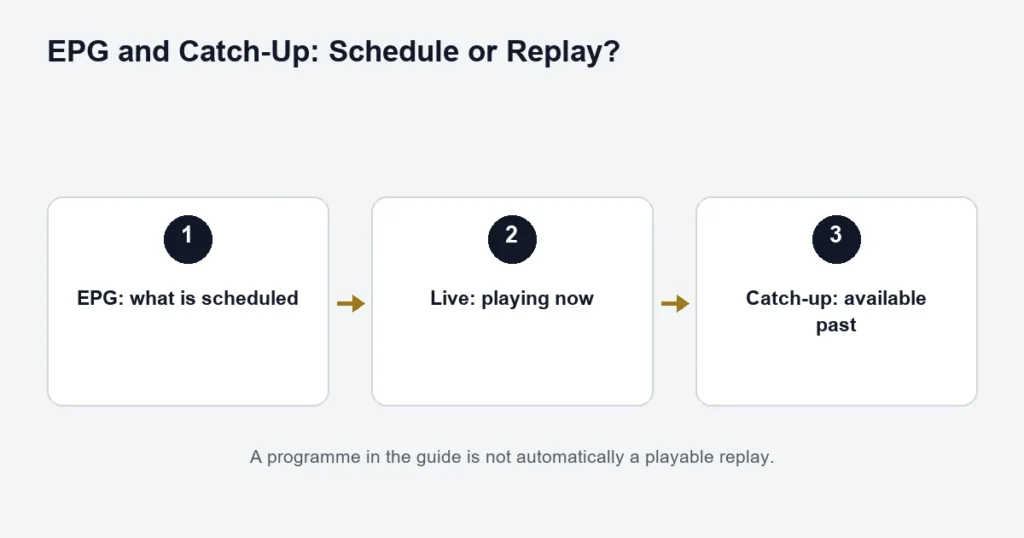
Seeing a past programme in the guide does not mean it can be replayed. Catch-up depends on the available source and your player’s support. IPTV Finland Premium describes catch-up as available where supported, rather than promising every channel or programme.
Three things to check
- Does the exact channel offer catch-up?
- Is the programme still within its available replay window?
- Does your player support the supplied catch-up format?
Do not assume a standard number of replay days. A clock icon or historical listing can mean different things in different applications. Follow the installed player’s instructions and confirm the channel-specific availability.
When the wrong programme starts
Check the device clock, the guide time zone and the selected date. Finland uses seasonal clock changes, so a fixed offset can become inappropriate after a change. Record the listed start time and what actually plays before altering several settings.
Catch-up is not recording
Recording, restarting a live programme and playing a provider’s replay are different functions. One being available does not establish the others. A player offering a recording control may need separate storage or other supported features; this subscription guide does not promise those capabilities.
Use the EPG troubleshooting guide for schedule problems and the TiviMate guide for that player’s boundaries. For a missed event, check the exact replay instead of assuming the live sports feed remains accessible.
Read the guide as a schedule first
A guide can display yesterday’s programmes simply because schedule data remains available. To decide whether a programme can actually play, look for the player’s supported replay action and confirm that the source supplies catch-up. A historical title on its own answers only what was scheduled.
This distinction matters when planning an evening around a programme you missed. If the programme is essential, ask about its exact channel, date and edition. A general statement that a tier includes catch-up where available does not confirm that individual programme. The EPG article covers the schedule side; this page concerns retrieving a past broadcast.
Check a missed programme in a useful order
- Identify the channel and the date of the original broadcast.
- Check the displayed programme title and start time.
- Confirm that catch-up is available for that source.
- Use the replay action documented for your installed player.
- Check that the programme which starts is the one you selected.
- If it fails, record the player, date and error before changing settings.
For a Finnish programme, include whether you need a Finnish or Swedish audio version. A similar title on another channel may not be the same broadcast. If the programme has several episodes, include the episode or original broadcast date so support does not have to infer it from a series name.
Check the replay window rather than assuming a fixed number of days
Replay availability is source-specific. Do not build a schedule around a standard seven-day or other assumed window unless it has been confirmed for that source. A past broadcast that was available earlier may no longer be available when you return to it.
If you regularly watch after work, test the kind of delay you actually need. Playing a programme from a few minutes earlier does not establish that last week’s edition will remain accessible. Keep the test close to your real use case rather than treating any successful replay as universal proof.
Diagnose an incorrect start time
First check the device clock and the time zone used by the player. Then compare the title shown in the guide with the programme that starts. Record whether the beginning is early, late or a completely different programme. These are more precise observations than saying catch-up is broken.
A global offset can move every guide entry. Before adjusting it, compare several entries and confirm whether the mismatch is widespread. If only one programme is wrong, changing the entire guide may make previously correct channels inaccurate.
Live playback works, but replay fails
That narrows the problem. The account and basic player connection may be working, while the replay source or format needs attention. Keep live and catch-up results separate in your report. Reinstalling the app immediately can remove the evidence without confirming which part failed.
The replay opens, but seeking behaves differently
Player controls and source support can affect how a replay is navigated. Use the controls available in the installed edition and avoid assuming every feature of an on-demand movie applies to catch-up. Note whether the issue happens at the beginning, after a seek or only near the current live edge.
Catch-up, recording and on-demand libraries
These are different viewing routes. Catch-up refers to replay supplied for a past broadcast. Recording depends on a supported recording function and its conditions. An on-demand library contains selectable titles independently of a guide entry. One route does not establish the availability of another.
If a series is available in the movies and series library, check the episode and language there as a separate option. Do not assume the on-demand edition has the same cut, subtitles or commentary as the broadcast you missed.
Choosing a plan around replay
Review the Premium features, then ask about the particular catch-up use you need. The plan comparison can establish the advertised tier benefit; the source and player checks establish whether your intended programme can be replayed. Both questions matter.
For sports, ask before the event whether a replay will be available. A live event working successfully is not a replay guarantee. The sports preparation guide explains the event details to supply, while the player guide helps with app-specific capability questions.
Catch-up questions
Does pausing live TV create a permanent replay?
Do not assume that it does. A player’s pause or time-shift function is not evidence that the full programme will remain available later. Confirm the supported behaviour before relying on it.
Will changing devices extend the replay window?
A different player may expose controls differently, but changing the screen does not establish a longer source archive. Check source availability and player support as separate questions.
What details make a replay problem reproducible?
Use the channel, original date, displayed start time, programme title and the action you selected. Add the app version and whether live playback works. Keep account details private; the programme information is normally enough to describe the symptom.
Plan a delayed viewing session
Suppose you want to watch a programme after returning home rather than at its original broadcast time. Check the original channel and edition, the delay you need and the player you will use. Then establish whether that exact replay is available. If your only evidence is a title in yesterday’s guide, the replay question is still open. Keep a second observation as well: whether the live channel currently plays. That separates basic access from archive retrieval. If the replay opens at the wrong point, record the displayed start time and actual programme before changing an offset that could affect other channels.