
PPV Events on IPTV Finland: Availability Questions
A plan’s PPV feature is not a guarantee for an individual event. Check the date, feed and access conditions separately.
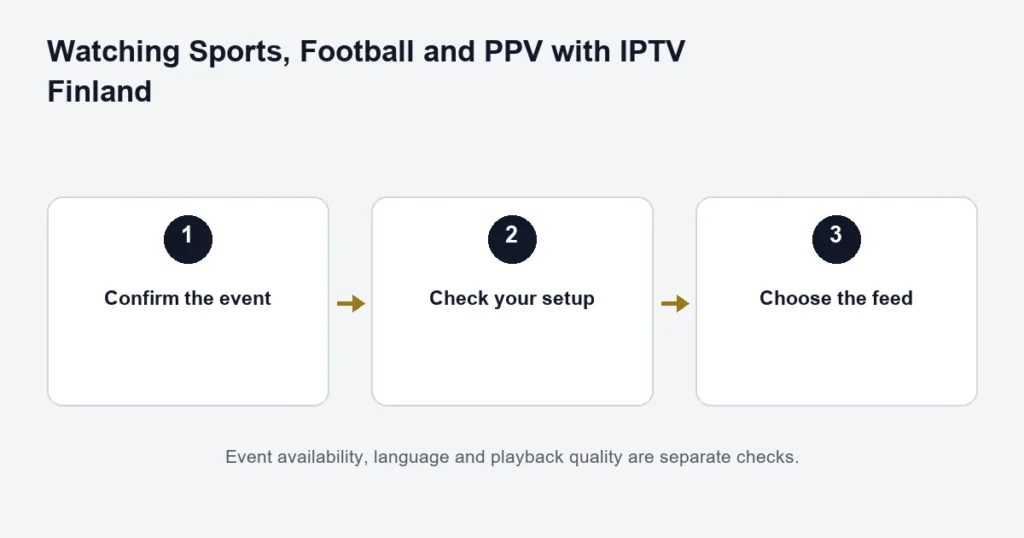
Before choosing a subscription for a PPV event, confirm that exact event and feed. Standard lists Sports & PPV where available; Premium lists Premium Sports and PPV available. Neither line establishes access to every event.
Details to confirm
- Full event name and date.
- Start time and time zone, including preliminary and main programmes if relevant.
- Commentary language and available source quality.
- Whether the event is included in the selected plan.
- Whether replay access exists after the live broadcast.
Do not infer an extra fee or included entitlement from a player menu label alone. Get the event-specific conditions before making a purchase.
Keep the connection allowance in mind
Watching the event in two rooms at once is simultaneous viewing, even when both screens show the same programme. A player licence or a higher-resolution source does not add a second connection.
Live access and replay
A guide listing may remain visible after an event ends without offering a playable recording. Check replay availability and any viewing window separately. Avoid relying on a later replay if it has not been confirmed.
See sports preparation and connection allowances, then compare plan totals. This page does not announce event availability or an association with an event organiser.
Identify the event rather than the PPV category
Start with the event name, participants, date and the part of the programme you mean. A main event, preliminary card and related programme can be separate broadcasts. A broad PPV label does not identify which of those is available.
Specify the commentary language and whether you need live viewing or a later replay. These are separate requirements. If one of them is essential, confirm it before choosing a plan around the event.
Do not equate a feature label with an event ticket
The published tier descriptions refer to PPV availability, with source-dependent limitations. That is not a confirmed schedule of every pay-per-view broadcast and should not be treated as a guarantee that a named event is included.
Use the Premium comparison to understand the tier’s wider features. Then ask the event-specific question with the date and intended feed. A previous PPV event working does not establish the next one.
Check the date, start time and programme segment
Events can be advertised using the organiser’s local time. Compare that with the device and guide date before planning the viewing session in Finland. A late start can also place the main programme on a different calendar date from an overseas listing.
Do not alter every guide entry because one event appears wrong. Record the expected event and what the source actually shows. The EPG checks explain the difference between a clock problem and a source-specific schedule mismatch.
Prepare the viewing setup early
- Confirm the particular event and required feed.
- Use the television or device you intend to watch on.
- Open the compatible player and correct account.
- Check an available source before the event.
- Verify sound output and track controls.
- Stop unneeded simultaneous playback.
A working basic setup is useful preparation, but it is not evidence that a future event feed is guaranteed. Avoid introducing a new app licence or unfamiliar player immediately before the programme begins.
Picture, commentary and replay are separate checks
A source can have the event but not the preferred commentary or resolution. Ask about those requirements explicitly. If the television has a soundbar or receiver, test that audio route as part of the normal setup instead of discovering a separate sound issue during the broadcast.
The 4K guide addresses the complete picture chain. A Premium selection does not make every PPV source 4K, and a 4K-capable television alone does not establish the selected feed’s quality.
If you need to watch afterwards
Confirm replay for the particular programme before the event. A historical guide entry does not guarantee catch-up, and a live stream does not imply a recording feature. The catch-up guide explains source windows and player support.
Report an event problem with enough detail
Name the event, programme segment, source, date and approximate time. Describe whether the issue is missing video, silence, wrong commentary, buffering or another programme appearing. Include whether other available sources work in the same player.
This comparison helps separate an event-specific issue from an account or device problem. Reinstalling the entire app immediately can erase settings without answering which part failed. Keep credentials out of screenshots and use the existing order reference when asking privately for assistance.
Check the household allowance
If several people watch the same event on different screens, those can still be simultaneous playback sessions. Follow the purchased allowance and supplied account arrangement. An app licence that permits several installations does not add service connections.
The connection guide explains how to count overlapping use. During a controlled test, stop unused players so an allowance question does not obscure an event-source check.
PPV questions
Does this page confirm the next major event?
No. It explains what to verify and does not publish an unverified event list. Ask about the exact event, date and feed before committing primarily for it.
Is the preliminary programme the same as the main event?
Do not assume that one confirms the other. Identify the segment you want and check its availability separately when necessary.
Can a trial prove a future PPV broadcast will work?
No. A trial can help assess the device and available content during that test. It cannot test a future broadcast that has not begun.
Will a longer subscription guarantee more PPV events?
The term length does not establish an event-by-event promise. Review the advertised benefits and confirm the specific broadcasts that matter to you.
Where should I start for general sports setup?
The sports preparation guide covers the broader routine. For football, use the fixture checklist. This page focuses on the additional need to identify a particular PPV event and programme segment.
Make the purchase decision after the availability check
Once the event requirement is understood, compare tier, term and simultaneous screens using the current total. Keep the event answer separate from the general plan description so you know which details were actually confirmed and which remain source-dependent.
Check the programme segment before inviting viewers
If friends are planning to watch a main event, clarify whether the confirmed source concerns the main programme, an earlier card or related coverage. Keep the advertised start and the expected main-event timing distinct; the latter may depend on the preceding programme. Also decide which screen and audio system will be used, so the setup check represents the actual gathering. Do not use a successful unrelated channel as proof of event availability. A precise event enquiry and a working device check answer different questions, and both should be settled before relying on the arrangement for a particular evening.