
Football on IPTV Finland: Match-Day Checks
Confirm the exact match, feed, commentary language and Finland start time before relying on a live stream.
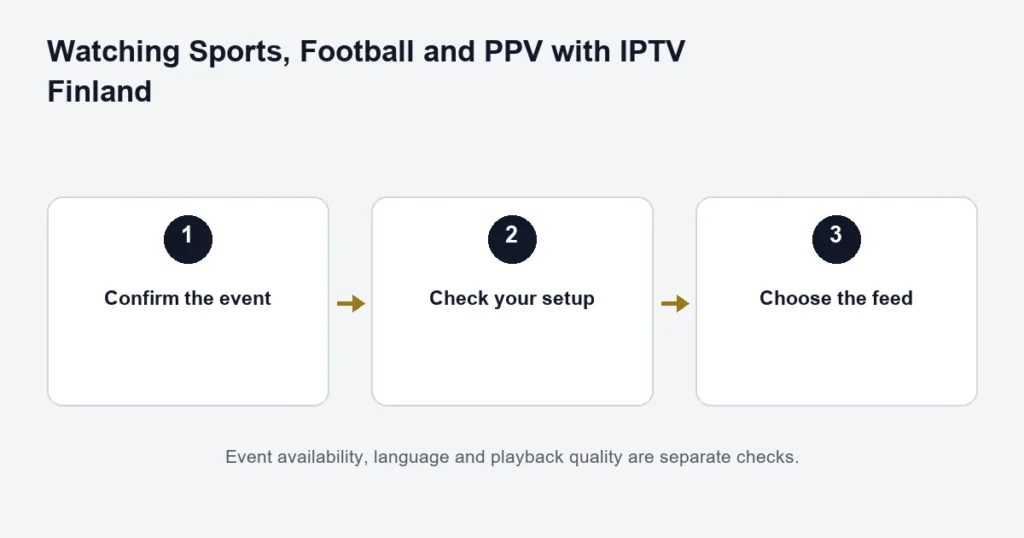
Ask about a specific football match, not only whether a sports package is available. The competition, teams, date and feed matter. A catalogue entry or sports feature does not guarantee every fixture or commentary language.
Before match day
Write down the teams, competition and kick-off time with its time zone. Ask separately about Finnish or Swedish commentary and whether a replay is available. If the listing uses another country’s time, check your device clock before changing a guide offset.
Prepare the setup you will use
Check the player and remote controls ahead of the event. Confirm ordinary playback on the intended network, and make sure other household viewers fit within the simultaneous-connection allowance. Last-minute changes to the player, network and login together make failures harder to diagnose.
If a match feed fails
Record whether the channel is missing, refuses to open or starts and then stops. Note the exact feed and time. If other channels play, include that detail; it distinguishes a single-feed issue from an account-wide or network problem. No troubleshooting step can establish that an unavailable match is included.
Use the broader sports guide for event preparation. The replay guide explains why a live fixture does not automatically provide catch-up. Check language and feed details before selecting a plan.
Define the fixture precisely
Write the competition, teams, date and expected kick-off. If several teams share similar names, include the full club or national-team description. A request for football on a particular evening can otherwise refer to many different matches.
Add the commentary language you need. Finnish commentary, Swedish commentary and an English-language feed are separate options to confirm. The same fixture on two sources may not offer the same audio or picture, so identify your priority before choosing.
Check time and programme identity together
A fixture listing may use a different local time from the player. Verify the date as well as the hour, especially for late matches or overseas competitions. Keep the device clock correct and inspect the guide near the broadcast.
If the guide title and the live picture disagree, record what actually appears. A changed schedule, delayed start or different feed should not automatically lead to a global clock adjustment. The EPG guide explains how to narrow the mismatch.
Prepare before kick-off
- Confirm the exact fixture and intended source.
- Open the agreed player on the television you will use.
- Check the correct saved account is selected.
- Try an available live programme before the match.
- Check audio output and the remote’s track controls.
- Stop unused household streams.
This routine helps avoid preventable setup confusion. It does not guarantee the future event feed. Installing a new player at the last minute can introduce a separate licence screen or unfamiliar account input precisely when you have little time to resolve it.
Picture quality is more than a tier label
Confirm the intended source quality and check the complete device-to-display path. A Premium plan lists available 4K, but that does not establish every football broadcast in 4K. Motion, picture detail and buffering are also different symptoms to describe.
The 4K guide handles source and hardware requirements. The Premium comparison concerns the wider tier benefits. Keep the two questions separate when a single match is driving the purchase.
If the match feed stops
Compare another available source
Keep the same player and account while checking whether other programmes work. If they do, name the failing fixture and source. If nothing plays, check the broader account and device setup.
Check overlapping viewers
Ask whether another screen has started playback and stop anything not needed. The connection allowance concerns simultaneous streams, not the number of televisions owned.
Keep the error specific
Describe black video, silence, wrong commentary, buffering or an incorrect programme separately. “Football is not working” leaves several unrelated possibilities open. A precise symptom helps the next check address the right part.
Watching later requires a separate answer
If you cannot watch live, confirm whether replay is available for the particular channel and programme. A completed fixture still listed in the guide is not proof of a playable archive. Do not assume recording is included either.
The catch-up article explains replay windows and player support. Ask before the event if delayed viewing is the main requirement, rather than treating a successful live source as a replay promise.
Choosing a plan around football
Use the sports hub for the wider event checklist, then compare the term and screen count you need. A subscription duration is not the same as purchasing a complete competition schedule.
For example, a three-month term may overlap part of a season without matching its beginning and end. Confirm the actual dates and event availability. Review the full term total rather than assuming a monthly comparison is a match-by-match price.
Football questions
Does this guide guarantee a particular league?
No. It does not publish an unverified rights or fixture list. Confirm the exact match, date and feed before buying primarily for it.
Can I choose commentary after the match starts?
Check the available source and track options in the player. Do not assume every feed includes several languages. Confirm the required language in advance when it is important.
Does a channel name prove the match is included?
No. Name the fixture as well as the channel. The channel identification guide explains regional and language distinctions.
What can a trial establish for football?
It can help assess the device and available sources during the test. It cannot demonstrate a future match that is not taking place. Use it for setup, then ask separately about the fixture.
What should I keep for a support enquiry?
Keep the competition, teams, date, source, player and symptom. Include whether other programmes play. Store access details privately and remove them from any screenshot of the player.
Make a fixture note that survives a schedule change
Keep the competition and teams alongside the date rather than saving only a channel number. Channel positions can be less informative than the source name when explaining a problem. If the schedule changes, update the fixture note before comparing it with the player. Include whether you mean pre-match coverage, the match itself or a later replay. Those can have different timing and availability. For a household where one viewer needs Finnish commentary, make that requirement explicit from the start. A clear picture with the wrong commentary may still fail the intended use, even though the technical playback check succeeds.
Can I keep a backup viewing plan?
If an event is essential, establish any alternative viewing arrangement independently before it starts. Do not treat an unverified second channel label as a confirmed backup for the same match. Check its programme identity and commentary separately. Keep the main setup stable while gathering that information, because adding an unfamiliar player at the last moment introduces another installation and licence question. The purpose of preparation is to know which options were actually confirmed, not to accumulate a long list of sources that may refer to different broadcasts.