
Buy IPTV Finland: Choose a Subscription That Fits
Choose the tier, term and simultaneous connections after checking the channels and devices you actually need.
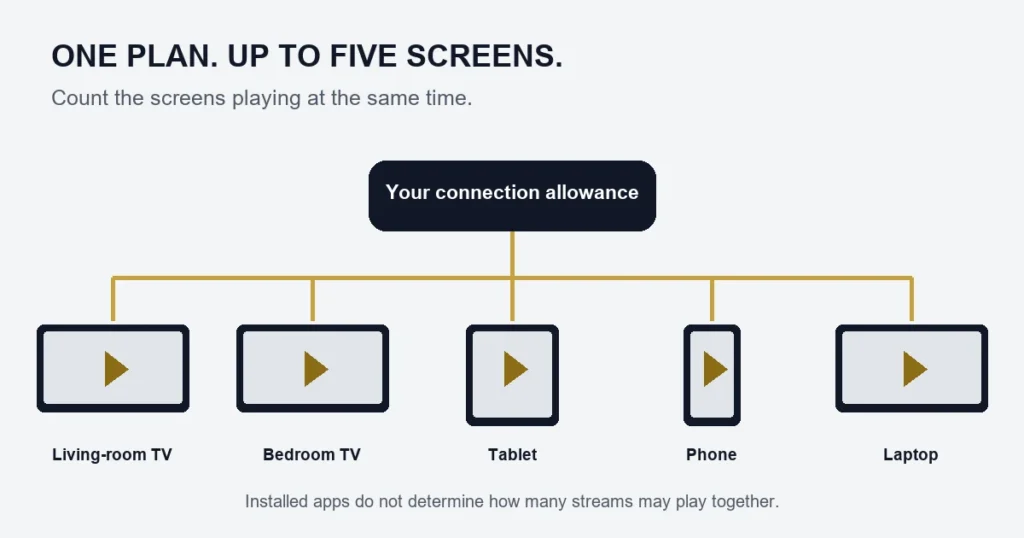
To choose an IPTV Finland subscription, settle three questions: Standard or Premium, how long you want access, and how many screens will play at once. Start with the programme or channel you want and your exact device. A larger catalogue cannot confirm a particular Finnish feed or subtitle track.
Make the choices in this order
- Check the channel, event or title and language you need.
- Confirm the player works on your TV, box or phone.
- Count simultaneous viewers, rather than installed apps.
- Compare the full term price for that connection count.
Standard lists Full HD / 1080p, 15,000+ channels and 145,000+ movies and series. Premium lists available 4K, 55k+ channels, 240k+ movies and series, and the stated Hot Player / IBO activation benefit. These catalogue figures do not describe the number of Finnish channels.
Term price versus monthly comparison
For one connection, Standard is €14.99 for one month, €29.99 for three, €39.99 for six and €59.99 for twelve. Premium is €19.99, €39.99, €49.99 and €79.99 respectively. The displayed monthly equivalent divides the term total; it is not an instalment offer. Higher connection counts have different totals.
Read the buyer checklist if you are still comparing services. If the device is untested, use the free-test information before deciding. When ready, compare plan totals and review the published refund conditions.
Turn a subscription choice into a short checklist
Before opening the plan selector, write the programmes you want, the device you will use and the maximum number of overlapping viewers. These three facts keep the purchase tied to your household. They are more useful than choosing the largest catalogue and hoping the rest will fit.
If Finnish or Swedish language support matters, include the actual channel or title and the required track. A broad catalogue figure does not answer that question. The Finnish channel guide explains how to make a precise availability enquiry.
Choose the tier without changing the comparison
Compare Standard and Premium using the same duration and connection count. That isolates the tier difference. Then assess the listed catalogue, picture-quality availability and player benefit against your shortlist. If a single event is the reason for buying, confirm that event separately before selecting a long term.
The Premium page explains its benefits in more detail. Use the 4K guide when the question is equipment or source resolution. Keeping those decisions separate avoids paying for a feature your intended setup cannot use.
Choose the term around a realistic commitment
A one-month option and a twelve-month option are different commitments even when the longer term has a lower monthly equivalent. Consider whether the device is already tested, how regularly the household watches and whether a move or equipment change is planned.
Do not assume that a longer term can be cancelled or converted on whatever schedule you prefer. Read the published conditions before submitting. This guide does not add a refund promise or an automatic upgrade mechanism beyond those terms.
Use the actual total
The main price belongs to the selected tier, months and screens. Record those choices together. A monthly comparison is helpful only when you remember the full amount and the term it covers. Changing the connection selector after comparing prices can change the total you should review.
Check the player before paying for a licence
Identify the exact app edition and publisher on your device. A streaming subscription does not make every app with a similar name compatible. The player guide distinguishes app activation from service access.
If you are choosing Premium partly for the stated Hot Player or IBO benefit, confirm the applicable device and app. Do not purchase a different licence expecting it to be covered automatically. Keep the answer with the rest of your plan information.
Review the order selection before submitting
- Confirm Standard or Premium.
- Check the selected number of months.
- Check simultaneous connections rather than installed devices.
- Review the total shown for that combination.
- Use an email address you can access for the order information.
- Read the terms presented in the existing checkout.
This checklist does not change the checkout or promise immediate activation. Keep the order reference once submitted and follow the supplied instructions. An order receipt and player access are different stages of the purchase.
Common purchase mistakes
Buying again because setup is unclear
A second order may not resolve a device or login problem. Use the existing order reference and explain the failed step first. Avoid assuming two plans will merge or that their terms will align.
Selecting screens from the number of household devices
Count overlapping playback instead. A phone used only when the television is off does not describe the same need as two people watching separately together. The connection guide provides examples.
Treating a catalogue total as a channel guarantee
Ask about the specific programme, edition and language. Larger numbers do not identify the source you intend to watch, and a past availability check does not establish every future broadcast.
Buying questions
Should I use the free request first?
If the device or player is untested, the free-test information explains what a one-connection test can help assess. It does not validate every future event or a multi-screen configuration.
Is an app account the same as my subscription account?
No. The app publisher’s account or licence can serve a separate purpose. Use the access method supplied for the service rather than interchanging those credentials.
What should I keep after purchasing?
Keep the order reference, chosen tier, term, screen count and total. Store access details privately when supplied. That record makes a later question about setup or the selected plan much easier to resolve.
Keep the final selection together
Before submitting, read the tier, term, screen count and total as one selection. If you change any selector, review the main amount again rather than relying on an earlier price. Keep the content questions that motivated the purchase alongside that selection, especially a particular language track or event. After submission, retain the order reference and wait for the supplied access instructions instead of treating the receipt as a player login. This simple separation between choosing, recording and setting up the service helps avoid duplicate purchases made only because a confirmation message and an access message serve different purposes.
What if the selected total differs from an earlier note?
Recheck the current tier, months and simultaneous screens before submitting. An earlier note may describe a different combination or a previous displayed amount. Use the current selection and published conditions, and resolve any unexplained difference before placing the order. Do not create a second order simply to compare receipts. A clean purchase decision should have one understood selection, with the total and requirements reviewed together, followed by retaining the resulting reference for any setup question.