
Request a Free IPTV Finland Trial
Check the service on your device with one free connection and setup support.
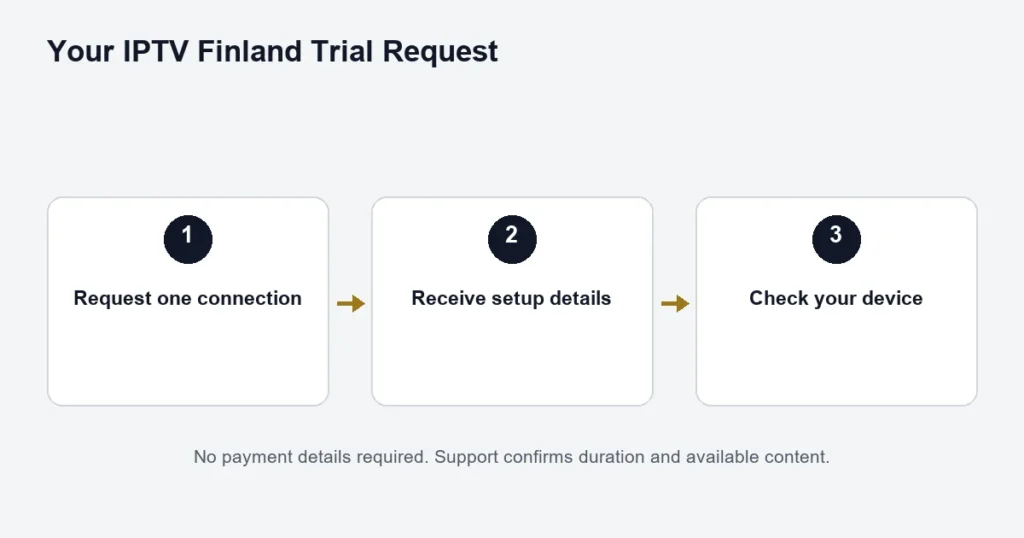
Try the service on your device with setup assistance. The request is free, covers one connection, and does not require payment details.
What happens next?
Enter your full name and email in the request form. WhatsApp number and device are optional. After submitting, keep your request number and contact support for help with setup.
No card required. No automatic charge. Trial duration and available content will be explained during setup; no fixed duration is promised here.
Request My Free TrialWe use your details to process your request and help with setup. Read our privacy policy.
Use the test to answer a real viewing question
A useful trial starts with the device and programmes you intend to use. Before submitting the request, identify your television, box, phone or computer and the player you expect to install. If the model is uncertain, check its settings rather than guessing from the brand name.
Choose a small set of things to assess: opening an available channel, finding Finnish or Swedish audio where supplied, checking subtitles on a relevant programme and navigating with your normal remote. This turns a short test into a practical decision about your setup instead of a quick glance at a catalogue count.
Prepare before requesting access
- Confirm you can receive messages at the email address you enter.
- Identify the exact device and operating system.
- Check that a compatible player is available for that platform.
- Know whether the player itself requires a separate licence or activation.
- Choose a time when you can follow the supplied setup instructions.
The compatible-device guide is a good first stop. If you already know the platform but not the app, compare player editions and login methods. Installing an unrelated app because its name looks similar can make the test less useful.
After you submit the request
Keep the request number shown in the confirmation. The request records your interest; it is not itself a player login. Follow the access instructions supplied when your request is handled. No immediate delivery time or fixed trial duration is promised on this page.
When you receive separate Server, Username and Password fields, keep them private and enter them in the compatible player’s corresponding login mode. Do not paste the whole message into a single field. The installation guide explains the distinction between a player licence, a saved account and subscription access.
If you cannot find the access message
Check the address you submitted and the relevant email folders before sending another request. Use your existing request number when asking for help so the enquiry can be associated with the right request. Do not publish your email or access details in a public comment to locate it.
A one-device test routine
- Start on the device you expect to use most.
- Open the agreed player and select the supplied account.
- Play one available channel before exploring the full list.
- Try the guide and the controls you will need.
- Check a relevant title’s audio and subtitle options.
- Stop playback properly when you finish the session.
The trial covers one connection. It is not a test of two or more screens playing simultaneously. If several household members need separate programmes at once, note that requirement for the paid-plan comparison rather than opening extra streams during the trial.
What the result can tell you
A successful test can show that your chosen player works with the supplied access on that device and network at that time. It can also help you decide whether the remote controls, guide and language options suit your routine. Those are useful observations to keep.
It cannot guarantee a future sports broadcast, a permanent catalogue, every possible device or uninterrupted playback in every network condition. If a specific event or programme is the reason you are considering a subscription, ask about it separately. The sports checklist explains the event details to provide.
If something fails during the test
Record the failed step before reinstalling anything. An app that will not install is a different issue from a saved account with an empty list. One channel failing is different from every source failing. Note the device, player version and exact error, keeping credentials out of screenshots.
Try only one relevant change at a time. If support asks you to check a different available source, keep the same device and account for the comparison. Changing the player, network and login together makes it hard to learn which part affected the result.
Decide what you need after the trial
Compare the tier, duration and connection allowance as three separate choices. Standard and Premium have different advertised catalogues and features. The duration determines the term you are selecting. The connection count concerns simultaneous viewing rather than the number of apps you can install.
Use the subscription selection guide to organise those decisions. Review the total shown for your exact selection before ordering. A monthly equivalent is a comparison figure, not a reason to assume the total will be collected in monthly instalments.
Trial questions
Are payment details needed to request the trial?
No. The current free request does not require payment details. Review the request form and keep your confirmation so you can distinguish it from a later paid order.
Can I choose a fixed trial duration here?
This page does not promise a fixed duration. The duration and available content are explained during setup. Plan your test around the instructions you receive rather than an assumed number of hours.
Can a friend use the same access at the same time?
The trial is for one connection. Do not use it to infer a paid multi-screen allowance. Read the connection guide when planning simultaneous household viewing.
Should I buy a player licence before requesting?
First confirm the exact compatible app and any licence requirement. A player purchase is separate from the free request, and this page does not promise that an arbitrary app licence will be included or reimbursed.
Does submitting another request fix a setup problem?
Not necessarily. Keep the existing request number and describe the failed step. A device or input-format problem can remain unchanged with another request, so resolving the specific issue is the useful next step.
Prepare a short result note
After the test, write down the device, player, programme and the functions you checked. Include any unresolved issue, such as a missing subtitle track or an unfamiliar remote control. Keep the result specific to the test rather than describing the entire service as proven on every platform. If you decide to compare paid plans, bring the actual screen overlap and content requirements into that decision. The trial result is useful evidence about one setup; it does not replace checking the chosen tier, term, total or any future event that could not be assessed during the available test period.