
Movies and Series on IPTV Finland: What to Check
Look beyond catalogue size to the title, language, subtitles and playback options you actually need.
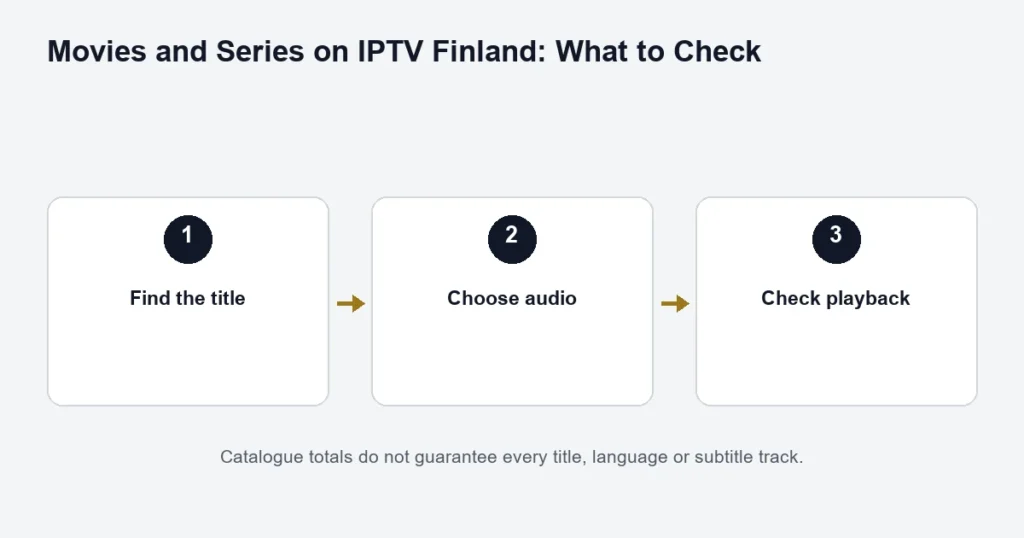
The confirmed catalogue is 145,000+ movies and series on Standard and 240k+ on Premium. These are catalogue-level figures, not a promise about a particular film, season, Finnish audio track or subtitle file. Ask support about a must-have title before choosing a longer subscription.
Search precisely
Start with the title and, where relevant, the release year. For a series, check the season and episode rather than assuming one search result means every season is present. Similar titles and different editions can make broad searches misleading.
Check language and subtitles separately
Open the player’s audio and subtitle controls where available. A title’s name or category does not guarantee its spoken language. Audio tracks and subtitles are separate, and their availability can differ between editions. Tell support the exact title and the language you need.
Compare on-demand playback with live TV
If live channels work but a film does not, note whether the problem affects one title or several. Check a second title before changing your credentials. If one device has sound but no picture, record the app and device model; playback format support can differ between devices.
Keep your viewing setup organised
Use favourites or watchlists if your player provides them. Resume position and viewing history depend on the player; do not assume they sync across different applications. If two household members watch different programmes at the same time, both streams count toward the simultaneous connection allowance.
Premium offers 4K where available, but an on-demand title must have a suitable source and compatible playback chain. Read the Premium and 4K guide before treating the tier name as a promise about every title.
Find the exact edition you want to watch
Start with a title and release year. For a series, add the season and episode. Remakes, similarly named programmes and alternate versions can make a broad search ambiguous. If you are asking about a Finnish title, include its original name where possible rather than relying only on an English translation.
Next, identify the audio and subtitle language you need. Finnish audio, Swedish audio, Finnish subtitles and a Finnish-language app menu are different things. A catalogue entry or poster does not confirm all four. Check the options on the actual title before planning a family viewing session around it.
A useful on-demand test
- Open a title you can identify precisely.
- Check that the film or episode is the intended edition.
- Inspect the available audio and subtitle tracks.
- Check picture and sound on the device you will normally use.
- Try the player’s supported pause and resume controls.
- Return to the library and confirm you can locate the title again.
Choose a representative title rather than the first item in the list. If you mainly watch subtitled drama, a short check of a different genre without subtitles does not answer your main question. If children use the device, assess the player’s navigation and available controls separately; no universal parental-control capability is promised here.
When one episode is different
Record the season and episode rather than reporting that an entire series is broken. Compare another available episode without changing the account. A single missing track, incorrect label or playback problem is different from every title failing to load.
For a long series, check that the episodes you need are present before choosing a plan on that basis. Catalogue totals do not establish completeness of a particular season. New additions and changes should be confirmed individually rather than inferred from a large headline count.
Live broadcast, catch-up or library version?
A film can appear as a scheduled broadcast, a replay of that broadcast or a selectable on-demand item. Those entries may have different timing, track choices or availability. Use the route that is actually supplied, and do not assume the same title in two places is the same edition.
The catch-up article explains replay windows. The EPG guide concerns broadcast schedules. This page focuses on selecting a title from the movie or series library, where episode identification and track choices are the main checks.
Choose picture quality around the full setup
A 4K label matters only when the selected source and the player, device and display support the intended output. Do not equate a larger catalogue with every movie being available in 4K. The 4K playback checks help you separate resolution from tier selection.
If the picture plays but the sound does not, note the device, player and selected audio output. Test through the television’s normal speakers if that is a supported option in your setup. Keep the observations specific instead of changing the subscription because one audio route fails.
Compare Standard and Premium without counting blindly
The published catalogue sizes are useful for understanding the tier distinction, but your own shortlist is a better purchase check. Write down several films or series you actually want, the language requirements and the screens you will use. Ask about those items before committing to a longer term.
Read the tier comparison for the app benefit and advertised features. If two household members will watch different titles at once, choose the appropriate simultaneous connection allowance. The size of the library does not change how many screens may play together.
Library questions
Does a poster confirm the film is ready to play?
A poster identifies an entry. Open the intended item and check playback and tracks. If the entry is wrong, report the title, year and what appears instead.
Can I assume the next season will be added?
No future addition is promised by this guide. Ask about currently available seasons and avoid treating an earlier season’s presence as confirmation of later episodes.
Why do subtitles appear on one episode but not another?
Track availability can differ between source versions. Check the selected episode’s menu and report the exact item. Do not assume the whole player lacks subtitle support if another episode displays them correctly.
Does a trial guarantee the same catalogue forever?
No. A trial is a check of the available service and setup during that period. It helps you assess the player and relevant titles, but it is not a promise that every item will remain unchanged throughout a longer term.
Keep a short viewing checklist
Save the titles, years, episode numbers and language requirements that matter to you. This makes a later support question precise and keeps the subscription decision tied to actual viewing. You do not need to catalogue every item; a small, relevant shortlist is more useful than comparing headline numbers alone.
Keep a family viewing shortlist
Before choosing a term around a series, list the season, episodes and language options the household needs. Check a representative episode, but do not assume its tracks establish every other episode. If different viewers need different subtitles, inspect the available options before the viewing session. Retain the release year for films with similar names. This small amount of preparation makes both availability questions and later error reports precise. It also keeps the plan comparison focused on useful content rather than the largest headline total, while acknowledging that a current check is not a promise that every catalogue item remains unchanged indefinitely.